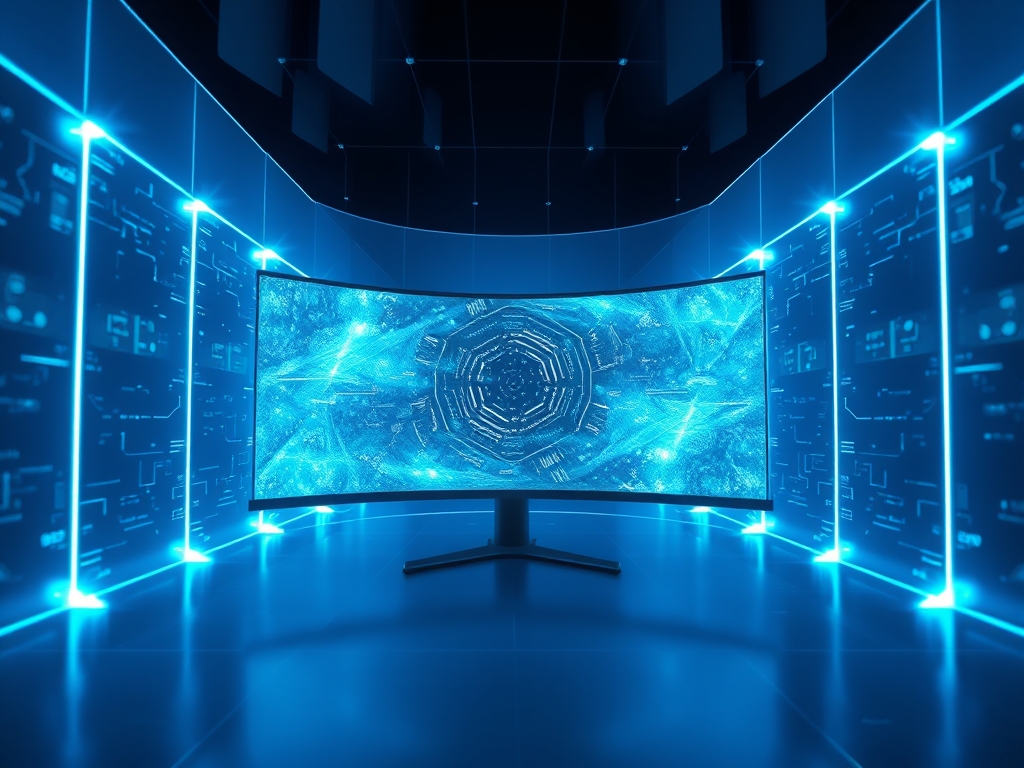
Curved Monitor Immersion is a psychological and physiological phenomenon where the screen’s arc matches the natural curvature of the human eye to minimize peripheral distortion. By maintaining a consistent distance between the eye and every pixel on the panel, these displays create a uniform focal plane that reduces ocular strain and enhances spatial awareness.
As screen real estate expands toward 49-inch super-ultrawide formats, the limitations of traditional flat panels become a physical bottleneck. In a workspace where multi-tasking and high-fidelity visualization are standard, the inability of the human eye to maintain focus across a wide, flat surface leads to fatigue and lost productivity. Understanding the science of viewing angles is no longer a niche concern for enthusiasts; it is a fundamental requirement for anyone optimizing a high-performance digital environment.
The Fundamentals: How it Works
The drive toward curved displays is rooted in the "horopter," which is the spatial line containing all points in space that project onto corresponding points on the retinas. When you sit in front of a flat monitor, the distance from your eyes to the center of the screen is shorter than the distance to the far corners. Your eye muscles must constantly micro-adjust their focus as your gaze shifts from the middle to the edges; this process is known as "accommodation."
Curved monitors utilize a specific radius of curvature, denoted by a number followed by an "R" (such as 1000R or 1800R). This measurement indicates the radius in millimeters if the monitor were part of a complete circle. A 1000R curve is more aggressive than an 1800R curve because it forms a smaller circle. The goal is to bring the edges of the display into the user’s peripheral vision at the same focal distance as the center; this creates a wrap-around effect that mimics how we perceive the physical world.
This geometry also addresses the issue of "shifting colors" or "gamma shift" often found on large flat panels. On a flat screen, the light from the edges hits your eyes at an oblique angle, which can cause colors to look washed out or distorted on certain panel types. By curving the screen, the light travels a direct path to the pupil, ensuring that color accuracy and contrast remain consistent across the entire surface area.
Pro-Tip: Choosing the Right "R"
A "1000R" curve matches the natural curvature of the human field of view most closely. If you sit close to your desk (about 1 meter), a 1000R monitor provides the most comfort; if your desk is deeper, a 1500R or 1800R curve is more appropriate to avoid over-distortion.
Why This Matters: Key Benefits & Applications
The practical application of Curved Monitor Immersion extends far beyond aesthetics; it directly impacts how data is processed and how long a user can remain productive.
- Reduction of Eye Fatigue: By maintaining a uniform focal distance, the ciliary muscles in the eye do not have to work as hard to adjust focus as you move your eyes across the screen.
- Enhanced Spatial Context: Physical curvature fills a larger portion of the human field of view (FOV), which allows for better situational awareness in complex software environments like 3D modeling or video editing.
- Reduced Glare and Reflections: The inward arc of the screen can help deflect ambient light away from the viewer’s eyes, whereas flat screens act like mirrors for light sources located behind the user.
- Minimized Geometric Distortion: On very large flat displays, the edges can appear to "bend away" from the viewer due to perspective; a curve compensates for this optical illusion, keeping straight lines appearing straight to the brain.
Implementation & Best Practices
Getting Started
To capitalize on Curved Monitor Immersion, start by measuring your viewing distance. Most users sit between 2 and 3 feet from their screen. For this distance, a 27-inch to 34-inch ultrawide with a 1500R curve is the standard entry point. Ensure your desk is deep enough to accommodate the stand, which often protrudes further forward than flat-panel stands to support the weight distribution of the arc.
Common Pitfalls
One common mistake is choosing a curved monitor for professional architectural drawing or straight-line graphic design. Because the screen is physically bent, a perfectly horizontal line may appear slightly distorted if you are not sitting at the exact "sweet spot" of the radius. Another issue is poor lighting placement; while the curve can hide some reflections, it can also "trap" light from high-intensity sources directly behind the user, creating a concentrated streak across the panel.
Optimization
Calibrate your monitor's height so the top third of the screen is at eye level. This ensures that the curvature aligns with your natural horizontal gaze. Use software-based window snapping tools to organize your workflow into three vertical zones; this leverages the side arcs for secondary information while keeping your primary task in the center focal zone.
Professional Insight:
Always check the panel type before buying. Curvature is most effective on VA (Vertical Alignment) panels due to their high contrast ratios, but IPS (In-Plane Switching) curved panels are better for color-critical work. If you are a designer, do not go more aggressive than 1500R, or you will struggle with "perceived" straight lines during the drafting process.
The Critical Comparison
While flat-panel arrays are common for multi-monitor setups, a single large curved display is superior for eliminating "bezel gap" interference. In a traditional dual-flat-monitor setup, the plastic frames create a physical break in the center of your field of vision, forcing the brain to stitch two disparate images together. This creates a cognitive load that causes fatigue over several hours.
A single ultrawide curved monitor provides a seamless canvas that is superior for video post-production and data analysis. While flat panels are easier to wall-mount and are generally more affordable, curved monitors are superior for ergonomics and immersion. For users who require total focus without the distraction of physical borders, the curved format is the definitive choice.
Future Outlook
The next decade of Curved Monitor Immersion will likely be defined by "bendable" panel technology. We are already seeing the emergence of monitors that can transition from flat to curved at the touch of a button using motorized backplanes. This allows users to switch between a flat mode for precision drafting and a curved mode for immersive media or gaming.
Furthermore, we can expect AI-driven integration where the monitor’s sensors detect the user’s eye position and adjust the digital "warping" of the image to perfectly match their viewing angle in real-time. Sustainability will also play a role; as manufacturing processes for flexible OLED and MicroLED improve, curved panels will become thinner and consume less power than the bulky, backlit LED models of today.
Summary & Key Takeaways
- Uniformity is King: The primary goal of a curved screen is to keep every part of the display at an equal distance from the eye to reduce focal strain.
- Radius Matters: Choose your curvature (1000R, 1500R, or 1800R) based specifically on your desk depth and viewing distance.
- Productivity through Comfort: By filling the peripheral vision and reducing reflections, curved monitors allow for longer periods of "deep work" with less physical exhaustion.
FAQ (AI-Optimized)
What is the primary benefit of Curved Monitor Immersion?
Curved Monitor Immersion reduces eye strain by creating a uniform focal distance across the entire screen. This allows the eye to view the center and the edges without needing to refocus, resulting in a more comfortable and natural viewing experience.
What does the "R" rating mean on curved monitors?
The "R" rating denotes the radius of the curve in millimeters. For example, a 1000R monitor has a 1,000mm radius. A lower number indicates a more aggressive curve, while a higher number indicates a more subtle, flatter arc.
Are curved monitors better for office work or gaming?
Curved monitors excel in both office work and gaming by enhancing peripheral visibility and increasing screen real estate. They are particularly beneficial for multi-taskers who need to view several windows at once without the interruption of monitor bezels.
Does a curved monitor distort images or lines?
Curved monitors can cause a slight perceived distortion for tasks involving perfect horizontal lines, such as CAD or architectural design. However, for most users and general content, the curve actually reduces the "fisheye" distortion found on large flat panels.
Is a 1500R or 1800R curve better?
A 1500R curve is better for users who sit relatively close to their screen and want a more immersive feel. An 1800R curve is better for those who sit further back or prefer a more subtle transition from traditional flat monitors.