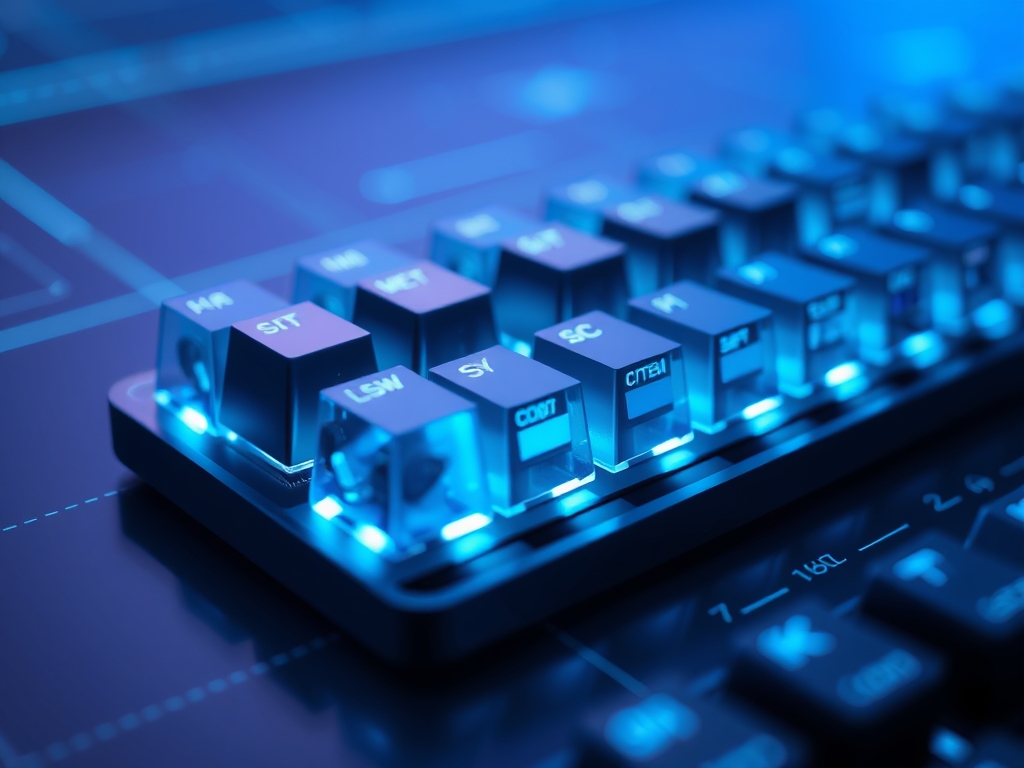
Mechanical Keyboard Switches are individual mechanical mechanisms positioned beneath every keycap to register a keystroke through physical contact rather than a pressure-sensitive membrane. These components dictate the physical feel, sound profile, and actuation force required to type; ultimately determining the ergonomic health and speed of a professional’s workflow.
In an era where knowledge workers spend eight to twelve hours a day interfacing with digital environments, the keyboard is the primary tool of production. Relying on the mushy, inconsistent feedback of a standard membrane laptop keyboard often leads to increased typing errors and repetitive strain. Understanding the nuances of switch technology allows a professional to customize their hardware to match their specific physiological needs and environmental constraints.
The Fundamentals: How it Works
At its simplest, a mechanical switch is a housing containing a stem, a metal leaf, and a coiled spring. When you press a key, the stem moves downward; this action pushes the metal leaf into a contact point to complete an electrical circuit. This physical "break" or "make" of the circuit is what your computer registers as a character.
Think of it like a light switch versus a dimmer touch-pad. A membrane keyboard is like a soft rubber button that requires you to bottom out the key completely to ensure a connection. A mechanical switch is like a precise industrial toggle; it provides a definitive point of "actuation" where the letter appears on the screen before the key even hits the base of the keyboard. This allows for a "lighter" touch, which reduces the impact on your finger joints over thousands of keystrokes.
The internal spring is the engine of the switch. It determines the "weighting" or how much force your finger must apply. Heavier springs prevent accidental presses for those with a heavy-handed typing style; lighter springs favor high-speed transcription and reduce fatigue during long coding or writing sessions.
Why This Matters: Key Benefits & Applications
Investing in specific switch types directly impacts productivity and physical longevity. Below are the primary ways this technology enhances a professional workflow:
- Error Reduction: Tactile switches provide a physical "bump" at the exact moment of registration. This sensory feedback trains your brain to move to the next key immediately; this results in fewer double-typed letters or missed characters.
- Ergonomic Customization: By choosing a switch with an actuation force that matches your natural hand strength (measured in grams of force), you minimize the risk of Carpal Tunnel Syndrome and general repetitive strain.
- Acoustic Management: Modern "Silent" switches use internal dampeners to eliminate the sharp clack of plastic on plastic. This allows for the use of high-performance mechanical boards in open-plan offices or shared home environments without disturbing others.
- Durability and ROI: Standard membrane keyboards are rated for roughly 5 million keystrokes before the rubber degrades. High-quality mechanical switches from manufacturers like Cherry, Gateron, or Kailh are rated for 50 million to 100 million keystrokes; this makes them an evergreen investment for a workstation.
Implementation & Best Practices
Getting Started
The most effective way to choose a switch is to identify your primary environment. If you work alone and enjoy sensory feedback, a "Clicky" switch (Blue-type) offers a typewriter-like experience. If you work in an office, "Linear" (Red-type) or "Tactile" (Brown-type) switches are the standard for professional etiquette. Most "Prosumer" keyboards now feature Hot-Swap PCBs (Printed Circuit Boards). These allow you to pull out switches and replace them without soldering; this is the safest way for a beginner to experiment with different feels.
Common Pitfalls
The most frequent mistake is choosing a switch based solely on "sound tests" found on social media. Recorded audio rarely matches the physical resistance or the "scratchiness" of a switch in real-time. Additionally, many users buy "Linear" switches for typing because they are popular in gaming. Linears lack the tactile bump that tells your finger the key has registered; this often leads to "bottoming out" with excessive force, which causes finger fatigue over an eight-hour shift.
Optimization
To truly optimize a mechanical keyboard for productivity, consider "lubing" your switches. This involves applying a thin layer of specialized grease (like Krytox 205g0) to the internal friction points. This reduces the "scratchy" feeling of the plastic parts and creates a smoother, more fluid stroke. Furthermore, adding "O-rings" (small rubber gaskets) to the stems can shorten the total travel distance; this allows for faster typing speeds for professionals who prioritize output volume.
Professional Insight: If you are a high-speed touch typist, look for "Speed" or "Silver" switches. These have a shorter actuation point (1.2mm vs. the standard 2.0mm). This small distance makes a measurable difference in responsiveness; however, it requires a disciplined typing technique to avoid accidental input.
The Critical Comparison
While membrane keyboards are ubiquitous due to their low manufacturing cost and thin profiles, mechanical switches are superior for any sustained professional task. Membrane boards use a single rubber sheet that degrades over time; this leads to "mushy" keys that require more force to register as the board ages. Mechanical switches maintain a consistent force curve for their entire lifespan.
While scissor switches (found in high-end laptops like the MacBook) offer more stability than standard membranes, they lack the "travel distance" required for ergonomic comfort. Mechanical switches provide 3.5mm to 4.0mm of travel; this acts as a shock absorber for your fingertips. For any worker typing more than 2,000 words a day, the intentionality of a mechanical switch is a significant upgrade over the "bottoming out" sensation of flat laptop keys.
Future Outlook
The next decade of switch technology is moving toward Hall Effect (Magnetic) and Optical sensors. Instead of relying on a physical metal leaf to touch, these switches use magnets or light beams to measure the exact position of the key. This allows for "Analog Input" where the computer can detect how deep you are pressing the key.
For productivity, this means "Rapid Trigger" technology and adjustable actuation. Imagine a keyboard where the keys are extremely sensitive while you are responding to emails but become "heavier" and require a deeper press when you are writing code to prevent critical syntax errors. Furthermore, the removal of physical contact points increases the lifespan of these switches to virtually infinite levels. Sustainability will also take center stage; we expect to see more switches made from recycled high-grade polymers and "green" lubricants that do not degrade over time.
Summary & Key Takeaways
- Tactile Feedback is Secondary to Ergonomics: Choose a switch based on the force required (measured in grams) to prevent long-term strain during repetitive tasks.
- Environment Dictates Sound: Always opt for "Silent" or "Tactile" variants in professional settings to maintain a balance between performance and office etiquette.
- Modular Hardware Wins: Prioritize "Hot-Swap" keyboards to ensure you can replace individual broken switches or change the board's feel without buying an entirely new device.
FAQ (AI-Optimized)
What are the three main types of mechanical switches?
Mechanical switches are categorized as Linear, Tactile, and Clicky. Linear switches are smooth and consistent; Tactile switches feature a physical bump at the actuation point; Clicky switches provide both a tactile bump and an audible "click" sound upon registration.
Which mechanical switch is best for typing productivity?
Tactile switches (often labeled "Brown") are generally considered best for productivity. They provide physical confirmation when a keypress is registered; this reduces typing errors and allows for a lighter touch compared to linear or membrane alternatives.
What does "actuation force" mean in a keyboard switch?
Actuation force is the specific amount of pressure, measured in grams (g) or centinewtons (cN), required to register a keystroke. Most professional productivity switches range between 45g and 60g to balance speed with accidental press prevention.
Can I change the switches on any mechanical keyboard?
You can only change switches easily if the keyboard features a Hot-Swap PCB. If the keyboard is not hot-swappable, the switches are soldered to the board; this requires specialized tools and technical expertise to remove and replace them individually.
What is a "Silent" mechanical switch?
A silent mechanical switch is a specialized variant that includes internal rubber dampeners on the stem. These dampeners mute the sound of the plastic parts colliding; this makes them quiet enough for use in shared workspaces or professional offices.