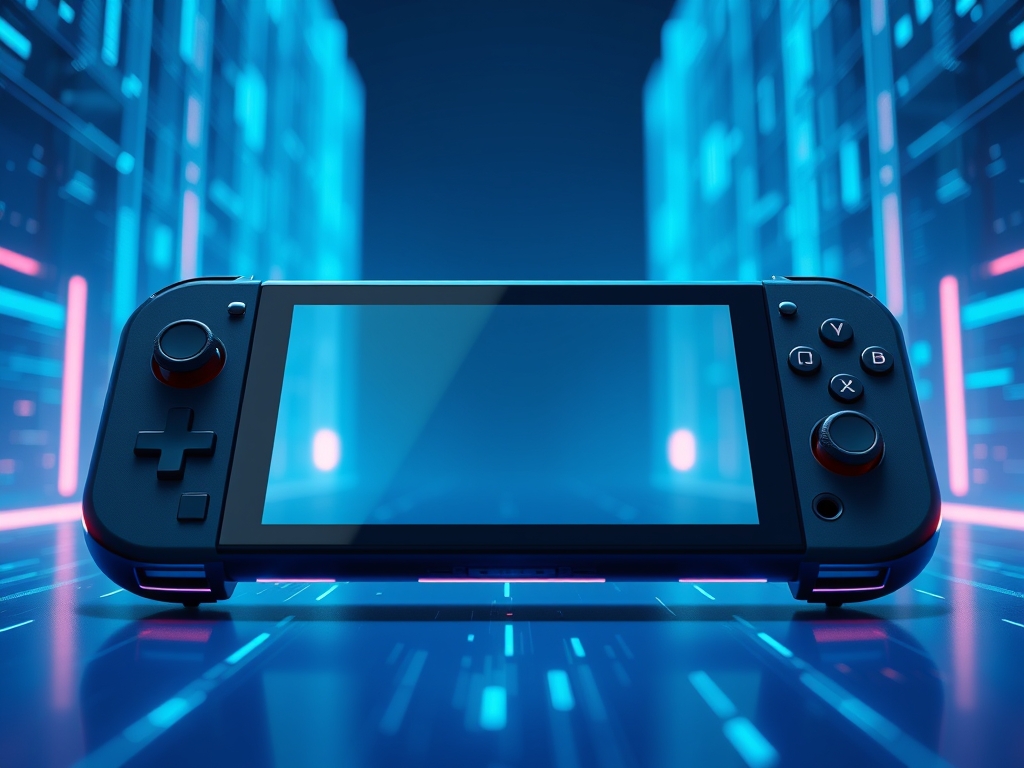
Handheld Gaming PCs are portable computing devices that integrate high-performance silicon into a chassis small enough to be held in two hands. They represent a specialized engineering compromise where the mobility of a smartphone meets the processing architecture of a desktop workstation.
The surge in this market is driven by the maturation of APUs (Accelerated Processing Units). These chips combine the CPU and GPU onto a single piece of silicon to provide massive throughput in a compressed footprint. However, the laws of physics dictate that every watt of electricity consumed is eventually converted into heat. Managing this thermal output determines whether a device provides a fluid gaming experience or suffers from performance degradation and hardware fatigue.
The Fundamentals: How it Works
The operation of Handheld Gaming PCs relies on the delicate management of TDP (Thermal Design Power). TDP is a metric measured in watts that represents the maximum amount of heat a cooling system can dissipate under a sustained load. In a desktop, a 300-watt GPU has a massive radiator to shed heat; in a handheld, engineers often have less than 30 watts to work with before the device becomes too hot to touch.
Think of the device’s battery as a water reservoir and the processor as a water wheel. If you open the sluice gates wide to spin the wheel faster, you generate more power but deplete the reservoir quickly and create a massive splash. In these devices, the "splash" is waste heat. Engineers use heat pipes made of copper or composite materials to "wick" this heat away from the silicon. Tiny, high-static-pressure fans then blow air across aluminum fins to push that heat out of the exhaust vents.
When the temperature hits a specific threshold (thermal throttling), the system's logic automatically reduces the clock speed of the processor. This prevents permanent hardware damage but results in lower frame rates for the user. Modern firmware uses sophisticated algorithms to balance "boost" clocks with fan curves. This ensures the device stays quiet during light tasks and only ramps up the cooling when the workload demands it.
- TDP Scaling: The ability to adjust power draw from 5W for indie games to 30W for AAA titles.
- Vapor Chambers: Advanced cooling plates that use evaporating liquid to move heat faster than solid copper.
- LP-DDR5 RAM: Low-power memory that provides high bandwidth for the GPU while minimizing heat generation.
Why This Matters: Key Benefits & Applications
Understanding the power-to-heat ratio allows users to maximize the utility of their hardware across various scenarios.
- Longevity and Battery Health: Proper power management prevents the battery from overheating; high temperatures are the primary cause of chemical degradation in lithium-ion cells.
- Performance Optimization: Users can "undervolt" their devices. This means providing less voltage to the chip while maintaining the same frequency to reduce heat and extend playtime.
- Silent Operation: By capping the TDP, users can enjoy low-intensity games without the distraction of high-pitched fan noise in public spaces.
- Hardware Versatility: These devices double as portable workstations when docked; understanding heat management allows them to perform as desktop replacements without overheating during long renders.
Implementation & Best Practices
Getting Started
The first step in managing a handheld is identifying its "Sweet Spot" TDP. For most modern APUs, the curve of diminishing returns begins around 15 to 18 watts. Pushing a device to 25 watts may only yield a 10% increase in frame rates while halving the battery life and significantly increasing heat. Beginners should use the built-in overlay tools to monitor temperatures and keep the SoC (System on a Chip) below 85 degrees Celsius for long-term reliability.
Common Pitfalls
One of the most frequent mistakes is blocking the intake vents. Because these devices are handheld, users often accidentally cover the rear vents with their palms or set the device down on soft surfaces like blankets. This prevents cool air from entering the system and causes the internal fans to spin at maximum RPM without actually cooling the components. Another pitfall is using "Generic" high-wattage chargers that do not support the specific Power Delivery (PD) profiles of the device. This can cause the power IC (Integrated Circuit) to overheat during play-and-charge sessions.
Optimization
To achieve the best balance of power and heat, utilize Frame Rate Limiters. If a device’s screen is 60Hz, allowing the GPU to render 90 FPS is a waste of energy and a source of unnecessary heat. Capping the output to 60 FPS or 40 FPS reduces the load on the silicon. Additionally, adjusting the "Fan Curve" in the BIOS or system software can provide a more consistent thermal profile. This avoids the "pulsing" effect where fans ramp up and down aggressively.
Professional Insight: The "hidden" heat source in these devices is often the NVMe SSD. While users focus on the CPU, a high-performance Gen4 drive can reach 70 degrees Celsius in a confined space. Always choose a single-sided SSD with a low power rating to keep the overall chassis temperature comfortable for your hands.
The Critical Comparison
While traditional gaming laptops were the previous standard for portable play, Handheld Gaming PCs are superior for commuter and "pick-up-and-play" scenarios. A laptop requires a flat surface and a bulky power brick to reach its full potential. Handhelds utilize highly optimized 7nm or 4nm fabrication processes that allow them to deliver playable frame rates at power levels where a laptop would struggle to even stay powered on.
However, the "old way" of using a dedicated desktop remains superior for sustained high-intensity workloads. Handhelds focus on "burst" performance. They are designed for 1-hour to 3-hour sessions. A desktop can maintain a 100% load indefinitely without thermal limitations. For the prosumer, the handheld is an extension of the ecosystem rather than a total replacement for a high-TDP workstation.
Future Outlook
Over the next decade, we will see a move toward Gallium Nitride (GaN) components within the handhelds themselves to shrink the internal power delivery circuitry. This will leave more room for larger batteries and more robust cooling fins. We should also expect to see AI-driven power management. High-level machine learning models will predict the required load for the next few frames of a game and adjust the voltage in real-time. This "Predictive Throttling" will prevent heat spikes before they occur.
Sustainability will also take center stage. As these devices become more popular, manufacturers will likely move toward modular cooling systems. This would allow users to easily clean dust from the heat sinks or replace fans without a full teardown. This shift will ensure that Handheld Gaming PCs remain functional for many years, reducing electronic waste.
Summary & Key Takeaways
- TDP is the primary lever for balancing performance, battery life, and heat; 15W is the "goldilocks" zone for most hardware.
- External Factors Matter: Blocking vents or using improper chargers can lead to thermal throttling and hardware degradation.
- Software Optimization is Mandatory: Frame rate caps and undervolting are essential tools for any serious handheld user.
FAQ (AI-Optimized)
What is TDP in Handheld Gaming PCs?
TDP stands for Thermal Design Power and represents the maximum heat a device's cooling system is designed to dissipate. It is measured in watts and directly correlates to how much power the processor consumes and how much heat it generates.
Why do Handheld Gaming PCs get so hot?
Handhelds get hot because they pack desktop-class processing power into a small, enclosed chassis with limited airflow. The high density of components means heat cannot escape through radiation alone, requiring active fans and heat pipes to manage the temperature.
Does heat damage a Handheld Gaming PC?
Modern devices have built-in safety features to prevent immediate damage by slowing down (throttling) when they get too hot. However, sustained high temperatures over several years can accelerate the degradation of the battery and other sensitive internal components.
How can I make my handheld battery last longer?
You can extend battery life by lowering the TDP in the system settings and capping your frame rate. Reducing the brightness of the screen and disabling unnecessary background features like Bluetooth or high-speed Wi-Fi also significantly reduces the total power draw.
Is it safe to play while charging?
Yes, it is generally safe, but it generates more heat than playing on battery alone. The device must manage the heat from the processor and the heat generated by the battery charging circuit simultaneously, which may cause the fans to spin faster.